> For the complete documentation index, see [llms.txt](https://docs.vyfi.io/llms.txt). Markdown versions of documentation pages are available by appending `.md` to page URLs; this page is available as [Markdown](https://docs.vyfi.io/important/public-testnet/set-up-your-wallet-on-pre-prod-environment-eternl.md).

# Set up your wallet on Pre-Prod Environment (ETERNL)

This guide will describe how to set your ETERNL wallet to the Pre Production environment

<figure><img src="https://787653979-files.gitbook.io/~/files/v0/b/gitbook-x-prod.appspot.com/o/spaces%2F-MZWCLXepwf1Xs07VKic%2Fuploads%2FEXURk95EAbwMzH0dTTRi%2Fimage.png?alt=media&amp;token=fb39407c-048a-43b7-bd59-8f727479c274" alt=""><figcaption></figcaption></figure>

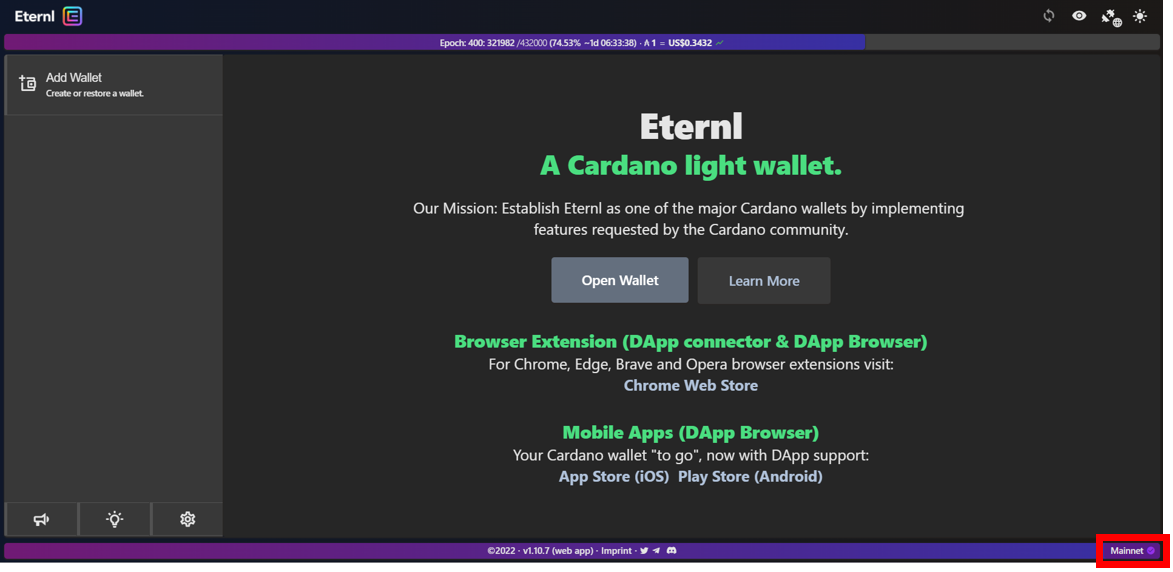
\-          Select the menu option in the bottom right-hand corner&#x20;

<figure><img src="https://787653979-files.gitbook.io/~/files/v0/b/gitbook-x-prod.appspot.com/o/spaces%2F-MZWCLXepwf1Xs07VKic%2Fuploads%2F8StRDqVeSZP7NBJXd37q%2Fimage.png?alt=media&amp;token=10fb53ec-5dd0-451b-b6eb-db96ecf625fb" alt=""><figcaption></figcaption></figure>

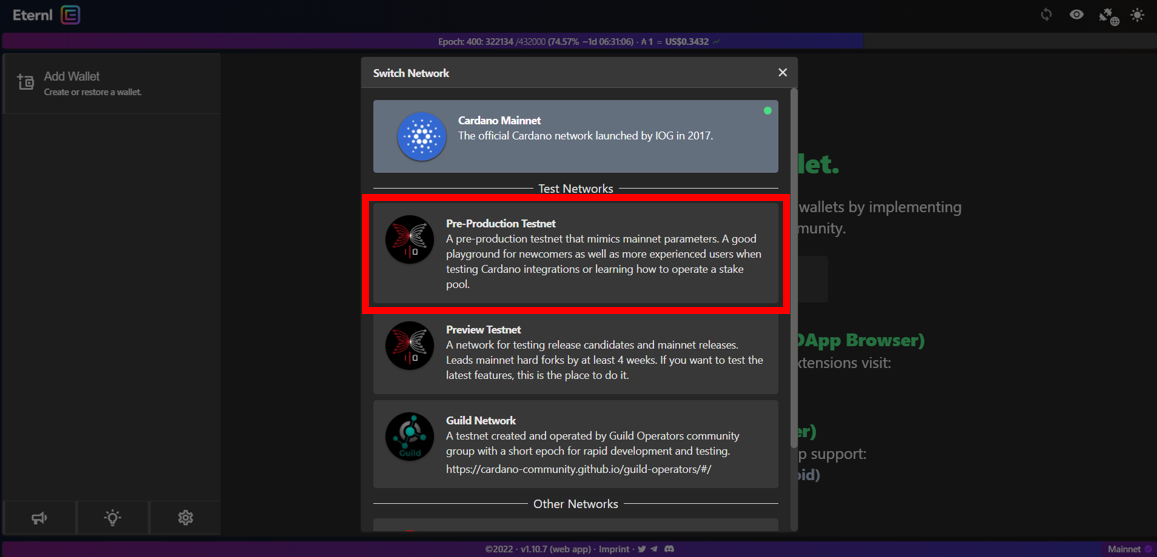
\-           Select "Pre-Production Testnet"

<figure><img src="https://787653979-files.gitbook.io/~/files/v0/b/gitbook-x-prod.appspot.com/o/spaces%2F-MZWCLXepwf1Xs07VKic%2Fuploads%2FqkZSGu1GsRm4fpBw4GRY%2Fimage.png?alt=media&amp;token=192879f1-01d4-4efa-95e5-b0752c3ddb15" alt=""><figcaption></figcaption></figure>

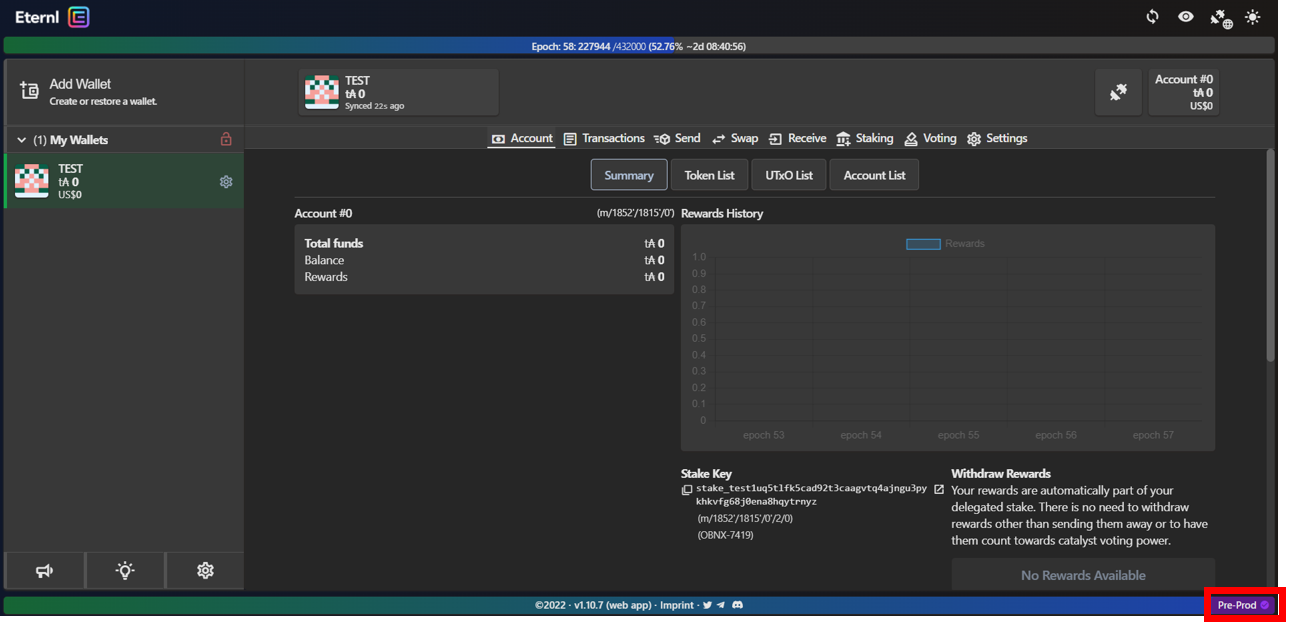
Once your pre production wallet has been created it will display "Pre-Pod" in the bottom right-hand corner